Give your safety team and every employee instant access to a central library of safety data sheets. Our MSDS management software extracts data from PDF documents automatically and turns it into structured, searchable information ready for OSHA HazCom, REACH, and CLP compliance.
Or get a free compliance audit
Trusted by industry leaders | See results in 1 day.
Safety teams managing their SDSs with NextSDS







Each row is one product. Its safety data sheet, bill of materials, and the regulations that govern it all attach to the product, not the other way round. Pick a product to read its linked SDS, inspect composition, and see where it is deployed.
Contains DEHP at 12 % w/w. Exceeds REACH SVHC disclosure threshold and RoHS 0.1 % limit.



Move your existing MSDS library over without retyping a single field. No consultants, no migration project.
Drag in hundreds of PDFs at once, or forward supplier emails to your Magic Mailbox. Old MSDS files are fine too.
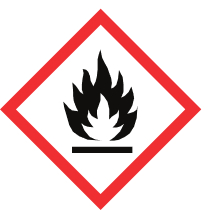
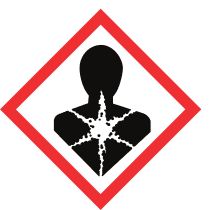
Hazard statements, GHS pictograms, composition, exposure limits and transport data are extracted and organised into a searchable library. Outdated sheets are flagged straight away.
Workers scan a QR code on the container or open your safety portal on their phone. Supervisors and EHS leads get the full library, filtered to their site.
Start with the free features, upgrade when you need more. Compare plans
A binder in the break room or a folder on the server was fine when you had twenty chemicals. With hundreds of products, suppliers and sites, an online SDS management system is the only way to keep up.
| Paper binder | Shared drive | NextSDS | |
|---|---|---|---|
| Finding an SDS in an emergency | Walk to the binder and flip pages | Only from a work computer | Scan the container QR code |
| Knowing a sheet is outdated | Manual check, sheet by sheet | Manual check, file by file | Flagged automatically by revision date |
| Getting a new version | Email the supplier and wait | Email the supplier and wait | Request the update in one click |
| Searching by hazard | Not possible | File names only | Filter by pictogram, hazard group or any field |
| Proving compliance to an inspector | Hope the binder is complete | No record of who changed what | Full revision history and audit trail |
Upload PDF documents and let AI automatically extract hazard classifications, composition data, and safety instructions in seconds.
See how
Every field from all 16 sections of the SDS becomes a filter. Find every product with a given CAS number, H-statement, GHS pictogram or supplier in seconds, and combine filters with AND/OR logic to answer any safety or audit question.
See how
Get notified when manufacturers release new SDS versions. Track revision history and compare changes automatically.
See how
A central SDS library only matters if the right people can reach it. NextSDS gives every employee, supervisor, and EHS lead instant access to the safety information they need.
Scan a QR code on any container and pull the SDS up on a mobile device. No login walls between workers and the protection information they need during an emergency.
Manage permissions across departments, equipment, and locations. Run inspections from one dashboard and assign training to specific employees or teams.
Export documentation for audits, track suppliers, and keep procedures and handling protocols tied to every chemical in your inventory.
Link each product to the locations where it is stored or used. Every site gets its own SDS list, its own QR codes and its own view for supervisors, while EHS keeps one central library for the whole company.
Whether you run a construction site, a hospital lab or a warehouse, the chemicals and the regulations differ. NextSDS adapts to the way your industry works.
Safety data sheets on site, on every phone, for every crew.
Hundreds of raw materials across lines and plants.
GxP-ready document history for labs and healthcare.
ADR transport data and warehouse storage rules.
Cleaning and process chemicals next to HACCP.
Schools, municipalities and public facilities.
Your safety data sheets are yours. Export them from your current MSDS software or shared drive and bring them over without retyping anything.
Download the SDS files from your current system and upload them in bulk. AI extraction rebuilds your library with hazard data, revision dates and suppliers filled in.
Keeping your inventory in Excel? On the Professional and Integrated plans our team handles the Excel migration with you and links every product to its SDS and location.
The Professional and Integrated plans include onboarding, so your supervisors and EHS leads know their way around before the old system is switched off.
Planning a switch? Book a demo and we will walk through your current setup.
Every chemical safety regulation expects the same thing: accurate SDSs, current labeling, employee training records, and audit-ready documentation. NextSDS keeps all four in one place.
Meet the Hazard Communication Standard with a complete library of 16-section SDSs and container labeling for every chemical on site.
Globally Harmonized System pictograms, signal words, and hazard statements are extracted automatically from every SDS in your library.
Manage REACH registration data, CLP labels, and EU safety information alongside US and Canadian WHMIS documents in one library.
Every revision, access event, and supplier update is logged. Hand auditors a clean trail without scrambling for paperwork.
Forward SDS emails and let AI process them automatically into your library.
Automatic monitoring and updates when manufacturers release new SDS versions.
Print GHS/CLP compliant labels with QR codes directly from your SDS library.
Validate chemicals against company policies before purchasing.
No need for complex training - just start uploading your safety data sheets
and we'll organize everything automatically.
Got questions? We've got answers! The essential info about making chemical safety simple and accessible.
MSDS (Material Safety Data Sheet) is the older term used before the GHS globally harmonized system was adopted. SDS (Safety Data Sheet) is the current standard. NextSDS manages both SDS and legacy MSDS documents in one central library, so you can consolidate all your safety data sheets regardless of format or age.
Our MSDS tracking software automatically monitors revision dates, flags outdated documents, and notifies you when suppliers release updated safety data sheets. It tracks every SDS and MSDS in your inventory with full revision history and audit trails.
Yes! You can upload hundreds of SDS and MSDS documents at once. Our system will process them in parallel, extract data using AI, and organize everything automatically in your library.
Our AI recognizes both EU SDS and US MSDS formats, as well as various manufacturer-specific layouts. It adapts to different structures and extracts the relevant safety information regardless of format or age of the document.
Yes. NextSDS is built to support OSHA's Hazard Communication Standard (29 CFR 1910.1200). The platform keeps a complete SDS library accessible to every employee, tracks revisions, manages container labeling, and produces the audit trail inspectors expect. It also handles GHS classifications, REACH registration data, and CLP labels for EU operations.
Yes. Assign every product to one or more locations, filter your library by site, and give each location its own view of the SDSs it uses. Supervisors see their own site, EHS leads see the whole company.
NextSDS has a free account with no time limit. Start with the free features and upgrade to a paid plan when you need more. You can compare plans on our pricing page.