

At its core, SDS management software is a specialized digital tool built to handle the entire lifecycle of a Safety Data Sheet. Think of it as a central command center for all your hazardous chemical information, replacing the old-school approach of dusty binders and unwieldy spreadsheets. It automates compliance tasks and gives your team instant access to the safety data they need, right when they need it.
The Shift from Paper Binders to Smart Systems
For years, the gold standard for chemical safety was a hefty three-ring binder, bulging with paper copies of Safety Data Sheets. While it was the best we had, this manual system is full of holes in today's fast-paced industrial world. Trying to find the right SDS in an emergency often turned into a panicked treasure hunt, and keeping every single sheet updated with the latest version from the supplier was a logistical nightmare.
This old way of doing things left huge gaps in both safety and compliance. An outdated SDS could easily lead to someone using the wrong protective gear or following incorrect first-aid procedures. Safety managers spent countless hours chasing paper instead of focusing on what really matters—proactive training and real-world risk mitigation.
Why Manual SDS Management Fails
Once you're managing more than just a few chemicals, the cracks in a paper- or spreadsheet-based system start to show. These outdated methods quickly become a source of major operational headaches and compliance violations.
Here are some of the most common pain points we see:
- Compliance Gaps: It's incredibly difficult to know for sure if your SDS library is actually compliant with OSHA's Hazard Communication Standard or global regulations like REACH and CLP.
- Outdated Information: Suppliers update their SDSs all the time. Without an automated system, you have no reliable way to catch these updates, leaving you with old, inaccurate documents—and a huge liability.
- Accessibility Issues: When a spill happens or a medical emergency occurs, every second counts. A binder locked in an office or a file buried deep in a shared drive is a massive failure point. You can learn more about the specific sections and requirements in our detailed guide on what a Safety Data Sheet includes.
- Massive Inefficiency: Manually sifting through hundreds of documents, checking them against your chemical inventory, and pulling data for reports is a monumental time sink.
The core problem with manual management is that it’s a reactive process. You only discover a problem—like a missing or outdated SDS—when it’s too late, such as during an audit or, worse, an incident.
To put the difference in perspective, let's compare the two approaches side-by-side.
Manual vs Automated SDS Management A Quick Comparison
This table highlights the key differences between traditional manual processes and modern automated SDS management software, showcasing improvements in efficiency, accuracy, and compliance.
| Aspect | Manual Management (Spreadsheets & Binders) | SDS Management Software (Automated) |
|---|---|---|
| Accessibility | Limited; often locked in an office or buried in files. Slow to access in emergencies. | Instant; cloud-based access on any device (mobile, tablet, desktop) 24/7. |
| Updates | Reactive and manual; requires someone to track supplier updates and physically replace sheets. | Proactive and automatic; flags outdated SDSs and often sources new versions from suppliers. |
| Compliance | Difficult to verify; high risk of non-compliance with OSHA, REACH, etc. | Centralized dashboard shows compliance status at a glance with automated regulatory checks. |
| Reporting | Time-consuming and manual; involves pulling data from various sources by hand. | Automated; generates regulatory reports (e.g., Tier II), chemical lists, and summaries in minutes. |
| Employee Safety | High risk due to potential for outdated information and slow access during incidents. | Enhanced; ensures employees have immediate access to correct, up-to-date hazard and response info. |
| Efficiency | Extremely low; consumes significant administrative hours for manual upkeep. | Extremely high; automates routine tasks, freeing up safety personnel for high-value work. |
The move toward dedicated software isn't just a trend; it's a necessary evolution.
As global regulations and supply chains become more complex, manual methods just can't keep up. That’s why the market for dedicated sds management software is growing so quickly. Valued at $1.2 billion in 2024, it's projected to more than double to $2.5 billion by 2033. This growth is driven by companies realizing they need more reliable and efficient compliance tools. For more on this, check out this great breakdown of the top SDS management platforms for 2025 on cloudsds.com. This isn't just about avoiding fines; it's a fundamental shift toward turning chemical safety from a burden into a real strategic advantage.
Core Features That Drive Modern Chemical Safety
Good SDS management software does far more than just store digital documents—it acts as an active, intelligent partner in your chemical safety program. The whole point is to automate the tedious work, get rid of human error, and give everyone in the organization clear, immediate information they can actually use. This is what moves a company from a passive, paper-shuffling approach to a proactive, dynamic safety culture.
It all starts with the software’s ability to read and understand complex documents on its own. Instead of a safety manager spending hours manually keying in data from a new SDS into a spreadsheet, the system handles that heavy lifting. That single capability unlocks everything else that makes these platforms so powerful.
The image below shows this journey perfectly, moving from old-school binders to a modern, integrated system.
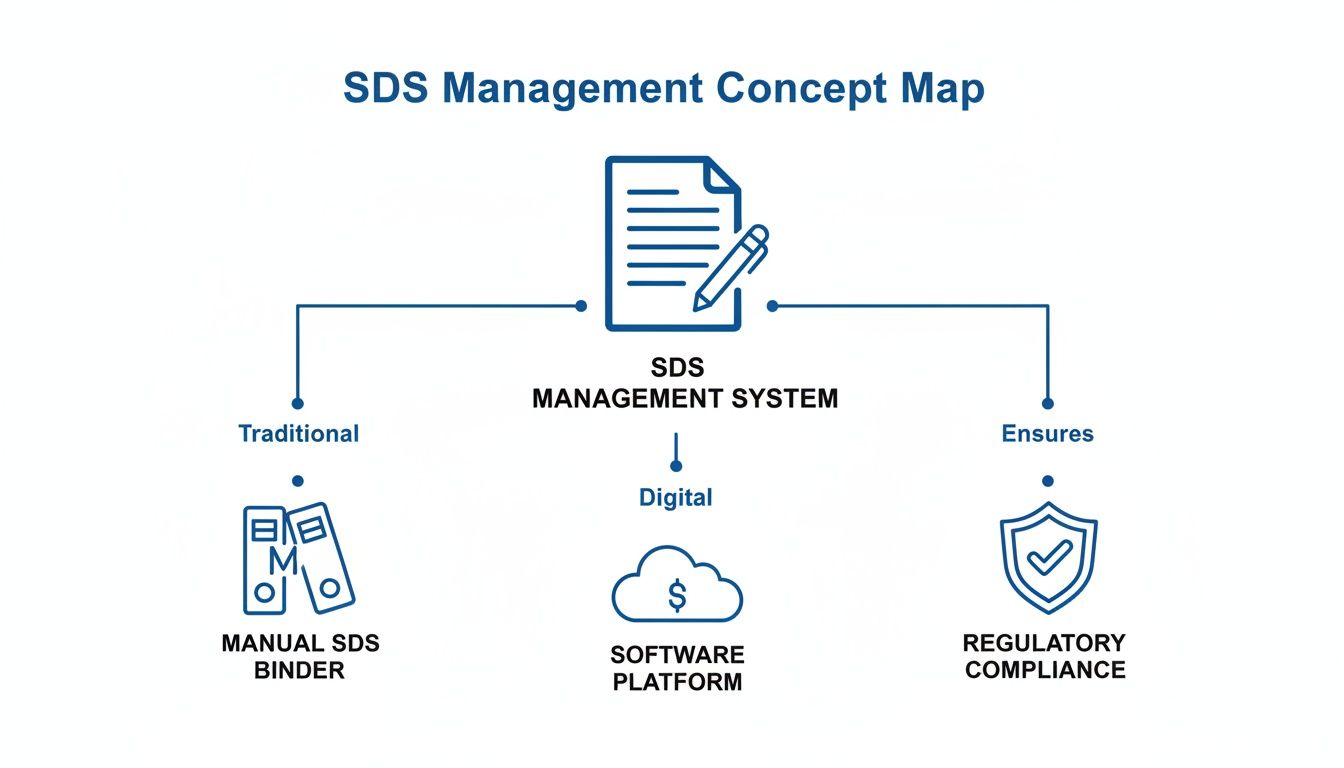
As you can see, a central digital platform is the hub that connects your documents directly to regulatory compliance, creating a single, efficient ecosystem for safety.
Intelligent Data Ingestion and Centralization
The first, most critical step is getting all your documents into one organized place. Modern platforms have moved way beyond simple file uploads. Think of it more like a smart inbox that automatically processes any SDS you get from suppliers, whether it's an email attachment or something the system finds on its own.
This is the SDS ingestion process, and it’s typically powered by artificial intelligence. Here’s what it looks like in action:
- AI-Powered Data Extraction: The software reads through each new SDS, pulling out the crucial details—product names, CAS numbers, hazard classifications, and revision dates. This instantly eliminates typos and keeps all your data consistent.
- Automated Email Intake: Many systems give you a dedicated email address (sometimes called a "Magic Mailbox"). Suppliers can send updated SDSs there, and the software automatically grabs the attachment, processes it, and adds it to your library.
- Centralized Digital Library: All your safety data sheets end up in a single, searchable, cloud-based library. This becomes your one source of truth, accessible to any authorized employee on any device, from the front office to the factory floor.
A centralized library ensures that everyone—from the EHS manager to the forklift operator—is working with the exact same, up-to-the-minute safety information. It closes the dangerous gap between what's in the binder and what's actually in use.
Proactive Compliance and Alerting
Once your data is in the system, the software gets to its most important job: keeping you compliant. It acts like a 24/7 watchdog, constantly checking your chemical inventory against a huge database of global and regional regulations. This is what separates a simple document folder from a true compliance engine.
Here are a few key workflows:
- Automated Regulatory Screening: The platform checks your chemical ingredients against watchlists like REACH, TSCA, and OSHA's HazCom standard. It can flag substances of very high concern (SVHCs) or other restricted chemicals before they even get through your receiving doors.
- Proactive Expiration Alerts: The software keeps an eye on revision dates and pings you when an SDS is getting old or when a newer version becomes available from the manufacturer. No more getting caught with outdated, non-compliant documents.
- Real-Time Regulatory Updates: When a regulation changes, the system flags the products in your inventory that are affected. This lets you take immediate action instead of getting blindsided during an audit. For labs, understanding the best practices for handling hazardous drugs is essential, and a good system makes this much easier.
Practical Tools for On-the-Ground Safety
A great chemical safety program has to connect the dots between back-office compliance and the people on the front lines. The best SDS management software includes practical tools that empower employees to work safely every single day, making safety information accessible right where they need it.
For instance, the system can generate GHS/CLP-compliant secondary workplace labels on demand. This ensures every container in your facility, big or small, is properly marked with the right pictograms and hazard statements.
Many platforms also create simplified, one-page "safety cards" that boil down the dense, 16-section SDS into just the critical need-to-know info. Employees can often access these just by scanning a QR code on a chemical container with their phone, getting instant guidance on:
- Required Personal Protective Equipment (PPE)
- First-Aid Measures
- Spill Response Procedures
- Fire-Fighting Instructions
Having this information instantly available during an emergency can be the difference between a minor cleanup and a major incident. It truly bridges the gap between regulatory paperwork and real-world worker safety.
How Software Helps You Maintain Regulatory Compliance
Staying on top of chemical compliance can feel like trying to hit a moving target. Regulations are constantly in flux, and a single outdated Safety Data Sheet can put your entire operation at risk. This is the moment when SDS management software sheds its skin as a simple file cabinet and becomes your company's digital compliance officer.
Instead of just reacting to regulatory shifts, good software puts you firmly in the driver's seat. It automates the tedious, mistake-prone work of tracking and validating your chemical inventory. The goal? To ensure you're always ready for an audit and, more importantly, that your team stays safe. It transforms a stressful paper chase into a manageable digital workflow.
Navigating the Global Regulatory Maze
Chemical rules aren't one-size-fits-all; they form a complex web that can easily tangle up any company operating internationally. What passes muster with OSHA in the United States might fall short of Europe's REACH or CLP regulations.
An effective SDS management platform is your expert guide through this maze. It's built on a massive, constantly refreshed database of global and local rules.
- OSHA Hazard Communication Standard (HCS): For U.S. operations, the software makes sure every SDS in your library is aligned with OSHA's GHS requirements, forming the bedrock of worker right-to-know laws.
- REACH and CLP in Europe: If you do business in the EU, the system automatically checks your chemicals against the REACH list of Substances of Very High Concern (SVHCs). It also confirms your labels have the right CLP pictograms and statements.
- WHMIS in Canada: The platform handles the specific demands of Canada’s Workplace Hazardous Materials Information System, right down to the need for bilingual (English and French) SDSs.
This global intelligence is crucial. It guarantees the documents you depend on are not just available, but are actually correct for the specific region you're in. To really get into the weeds on this, check out our guide on achieving safety data sheet compliance.
Turning Stressful Audits into Simple Check-ins
Picture this: an OSHA inspector shows up unannounced. With a manual system, that's the cue for a mad dash to find the right binder, all while praying everything inside is up to date. With SDS management software, that panic disappears.
An EHS manager can just log in and, in a few clicks, pull a complete, accurate report of every hazardous chemical on-site. Each one is linked to its fully compliant, current Safety Data Sheet. An event that used to cause sky-high anxiety becomes a calm, professional demonstration of your control and preparedness.
The software builds a perfect, auditable trail of your compliance efforts. It logs every time an SDS was received, reviewed, and updated, giving you concrete proof of your company's due diligence.
This single capability is a game-changer. It doesn't just help you dodge hefty fines; it fosters a powerful culture of safety and accountability from the ground up.
Proactive Chemical Vetting and Risk Mitigation
Real compliance isn’t just about managing the chemicals you already have on-site. It’s about preventing the riskiest substances from ever coming through your door. This is where the software needs to plug directly into how you buy and use chemicals.
When a new chemical is requested, the procurement team can vet it through the system before the purchase order is even cut. The software instantly screens its ingredients against regulatory watchlists, flagging anything that's restricted or banned. Plus, knowing a chemical's specific hazards upfront is the first step in planning for things like proper spill control and secondary containment.
This pre-purchase check acts as a vital safety net. It helps your company sidestep unnecessary risks and shifts your compliance posture from reactive to proactive, protecting your people, your reputation, and your bottom line.
Weaving Chemical Safety into the Fabric of Your Organization
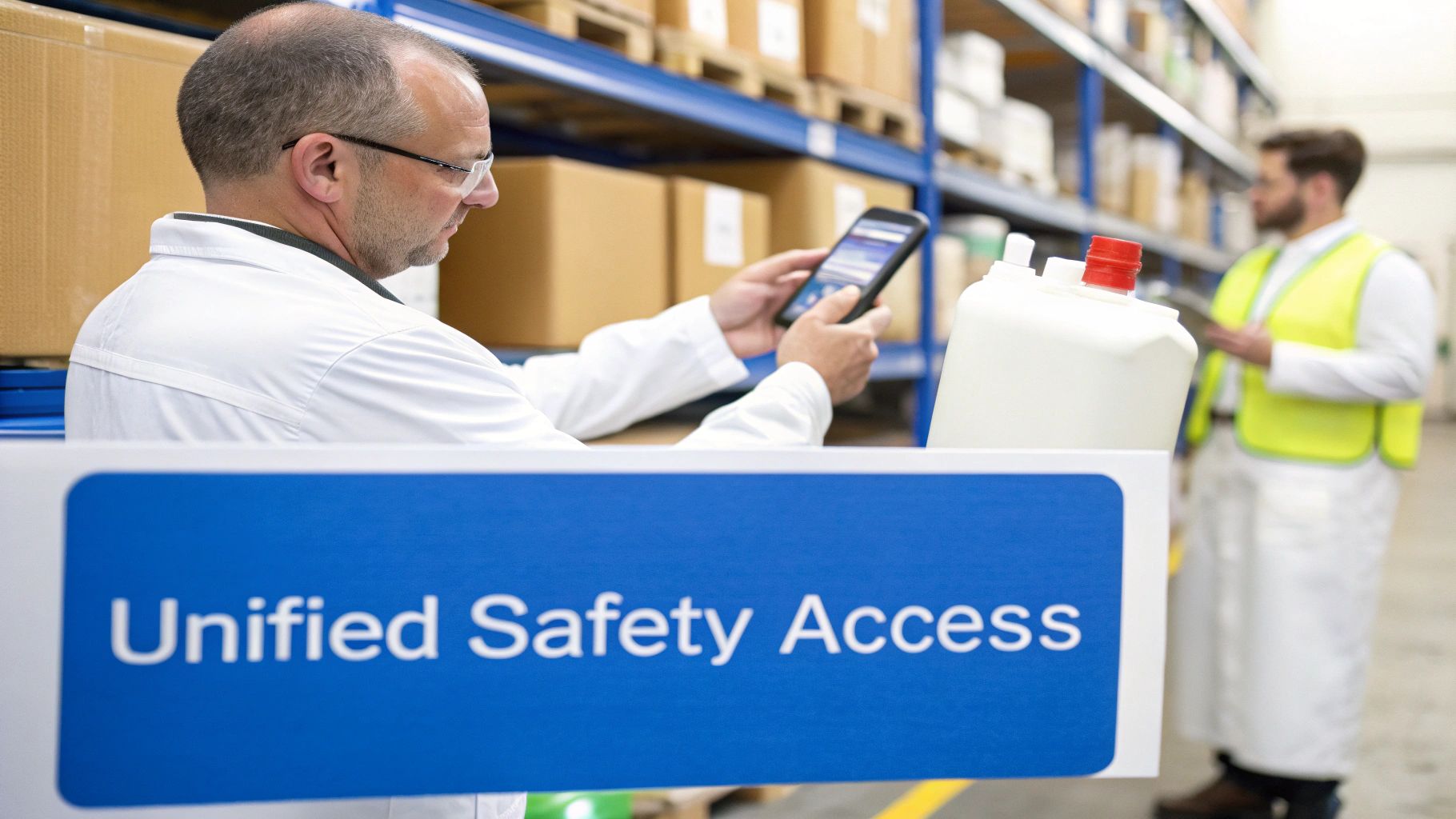
Real chemical safety isn't one department's job—it's a shared responsibility that depends on clear communication and easy access to information. But when that crucial safety data is stuck in dusty binders or locked away in siloed spreadsheets, you create dangerous blind spots. SDS management software is designed to tear down those walls, building a single, connected ecosystem where every team has the data they need, when they need it.
This changes everything. Safety stops being a top-down rule and becomes part of the daily workflow. The software acts as a central hub, a single source of truth that connects everyone. From the moment a chemical is considered for purchase to its final disposal, every decision is informed by accurate, current hazard data.
Giving Every Team the Right Information
A central platform doesn't mean a data dump for everyone. The best SDS management software is smart enough to deliver tailored, practical insights to different departments, embedding safety directly into their routines without slowing them down.
This role-specific access makes safety a natural part of the job, not just another box to check.
- Procurement and Purchasing: Before a new chemical is even ordered, the procurement team can screen it against regulatory watchlists and internal safety policies. This simple step acts as your first line of defense, stopping non-compliant or overly hazardous materials from ever reaching your door.
- Warehouse and Logistics: For the team on the receiving dock, the software is a godsend. A quick scan of a container’s barcode can instantly pull up storage compatibility rules, separation requirements, and temperature controls, preventing potentially dangerous chemical reactions before they happen.
- Research and Development: R&D teams experimenting with new formulas need immediate answers on safe handling. The software gives them instant access to PPE requirements, exposure limits, and emergency procedures, letting them focus on innovation without putting themselves at risk.
- Frontline Production Staff: Workers on the factory floor don't need to read a dense, 16-section document in an emergency. The system can generate simple, clear safety cards with just the essentials: first aid, spill response, and required protective gear, all right at their fingertips.
By linking these teams through a shared platform, the software helps build a proactive safety culture. It replaces "I think this is right" with data-driven confidence, turning every employee into an active, informed participant in your safety program.
Breaking Down Silos to See the Whole Picture
Safety programs fall apart in the gaps between departments. A warehouse manager might not know about a new chemical’s unique storage needs, information that only the EHS team has. An R&D chemist could be using a substance that was just flagged on a regulatory watchlist, completely unaware of the new risk.
SDS management software closes these gaps by creating a transparent, interconnected safety net. When a new or updated SDS is added to the system, it can automatically notify every relevant person. An update flagging stricter handling protocols could trigger an instant alert to the production supervisor, warehouse manager, and safety team all at once.
This kind of cross-departmental visibility ensures critical updates never get lost in an email chain. A change spotted by one person becomes immediate, shared knowledge for everyone who needs it. This connected approach doesn’t just strengthen compliance; it builds a smarter, more resilient organization where safety is truly everyone’s business, from the loading dock to the lab.
How to Select the Right SDS Management Software
Picking the right SDS management software is a huge decision. It’s not just about buying another piece of tech—it’s about finding a partner that will anchor your entire chemical safety program. This choice has a direct line to your company’s safety, compliance, and overall efficiency. To find the platform that genuinely fits, you need to cut through the marketing fluff with a solid evaluation plan.
The trick is to look past a flashy feature list and focus on how the software will actually solve your problems. Are you drowning in manual SDS intake? Struggling with regulatory reporting? Or maybe your biggest challenge is getting critical safety info into the hands of your frontline workers. A smart approach ensures you end up with a tool that delivers real, measurable value.
Define Your Core Requirements
Before you even book a single demo, you have to get clear on what you actually need. A sprawling manufacturing plant juggling thousands of chemicals will have a completely different set of priorities than a small research lab. Pull in key people from EHS, procurement, and operations to create a unified list of must-haves.
A great way to start is by turning your needs into direct questions:
- SDS Acquisition: How are we going to get new and updated SDSs into the system? Do we need a provider who actively hunts them down for us, or can we manage that in-house?
- Data Extraction: Is it critical for us to have AI-powered data extraction to cut down on manual entry and the errors that come with it?
- Regulatory Scope: Which specific regulations—like OSHA, REACH, or WHMIS—are non-negotiable for us? Do we need global coverage or just a regional focus?
- User Accessibility: How will our folks on the shop floor get the information they need? Is a top-notch mobile app with QR code scanning a must-have?
Key Questions to Ask During a Vendor Demo
Once your requirements are locked in, it’s demo time. This is your opportunity to really put a vendor’s claims to the test. Don’t just sit back and watch their canned presentation. Come armed with specific scenarios and questions that mirror your real-world headaches.
Here are a few essential questions to get you started:
- How do you keep your regulatory database current? Dig into how often they update their lists and, more importantly, how the system alerts you when a change impacts your chemical inventory.
- Can you show me how the platform handles a multi-language SDS? For any company with global operations, this is make-or-break. You need to see that it can accurately parse and manage documents in different languages.
- What does an integration with our ERP system actually involve? Getting the nitty-gritty details on connecting with systems like SAP or Oracle is vital for building a workflow that doesn’t create more problems than it solves.
- Walk me through the user experience on a phone. Ask them to act like one of your employees and show you exactly how they’d find PPE requirements or first-aid instructions in an emergency.
The point of a demo isn’t just to see what the software can do. It’s to understand how it will do it for your team, in your facility. A platform can be packed with powerful features, but if it’s clunky or confusing, no one will use it.
The SDS Software Evaluation Checklist
To make this process a bit more structured, use a checklist. This helps you compare different platforms apples-to-apples and keeps your team focused on what truly matters. It’s an objective way to score each potential solution against your specific needs.
Here is a simple framework to guide your team's evaluation:
| Evaluation Criteria | Key Questions to Ask | Importance (High/Medium/Low) |
|---|---|---|
| SDS Library & Sourcing | How are SDSs obtained? Can the vendor source them? | High |
| AI Data Extraction | Does the system automate data extraction from SDSs? How accurate is it? | High |
| Regulatory Compliance | Which regulations are covered? How are regulatory lists updated? | High |
| User Interface (UI) | Is the platform intuitive for both admins and end-users? | High |
| Mobile Accessibility | Is there a native mobile app? Does it offer offline access and QR scanning? | High |
| Reporting & Analytics | What types of compliance and inventory reports can be generated? | Medium |
| System Integrations | Can it integrate with our ERP, EHS, or inventory systems? | Medium |
| Implementation & Support | What does the onboarding process look like? What level of support is included? | High |
| Scalability & Security | Can the system grow with our company? What are the data security protocols? | Medium |
| Total Cost of Ownership | What is the full cost, including implementation, training, and support fees? | High |
This checklist isn't just a to-do list; it’s a strategic tool. It forces you to think critically about each aspect of the software and ensures the final decision is based on a comprehensive, side-by-side comparison, not just a gut feeling after a slick demo.
Evaluating the Total Cost of Ownership
Finally, it’s crucial to look beyond the sticker price. A low initial subscription cost can be tempting, but it might be hiding costs for training, data migration, or ongoing support. You need to consider the total cost of ownership, which is the full financial impact of the software over its lifetime. Thinking about the ROI of digital SDS management helps frame this perfectly—the right system should ultimately save you money by cutting administrative work and preventing steep compliance fines.
Factor in the time your team will get back thanks to automation, the massive financial risks you’ll avoid by staying compliant, and the productivity boost from giving employees instant access to safety data. A slightly more expensive platform that shines in these areas will almost always deliver better long-term value than a cheaper, less capable alternative. In the end, you're choosing the partner that best reflects your safety culture and operational goals.
Making the Switch: How to Implement Your New System and Migrate Your Data

Even the most powerful SDS management software won’t do you any good if it’s not set up right. A well-thought-out plan for moving away from your old methods—whether that’s a jumble of shared drives or binders gathering dust—is what makes or breaks the whole project. The real goal here is to get the new system running with as little chaos and as much benefit as possible.
This isn't just a tech project; it’s a people project. A successful launch depends on having a clear roadmap that takes everyone from the initial planning stages all the way to full adoption. Without that, you're looking at a bumpy start that can make people lose faith in the system before they've even given it a fair shot.
Laying the Groundwork for Implementation
A smooth transition starts way before you flip the switch and go live. It begins with a solid plan that maps out the key steps, gives people clear roles, and sets timelines that actually make sense. This blueprint gets everyone on the same page, all pulling in the same direction.
The first big hurdle is often data migration—getting your existing library of SDSs into the new software. Looking at a pile of thousands of documents can feel overwhelming, but breaking it down makes it completely manageable.
- Round Up Your Documents: First things first, gather every single SDS you can find. Dig through those forgotten network folders, search email inboxes, and check local desktops. Get everything into one central place.
- Clean House: Before you move anything, do a quick cleanup. Get rid of duplicates and any documents that are obviously out of date. This stops you from bringing old clutter into your shiny new system.
- Migrate Smart: You don’t have to move everything at once. Start with the chemicals you use most often or the ones that pose the biggest risks. This ensures your most important safety data is ready to go from day one.
This approach turns what could be a messy data free-for-all into an organized transfer of your most critical safety information.
Getting Your Team On Board
New software doesn't create a safer workplace on its own—people do. Getting your team to actually use and embrace the new system is the most important part of the puzzle. It’s all about good change management and training that clicks.
A successful launch isn't a single event. It’s about building momentum. Start small, show people how it helps them, and let your team become the system's biggest fans.
Here are a few proven ways to build that momentum:
- Run a Pilot Program: Don't go for a company-wide launch right away. Test the software with a smaller, more tech-savvy department first. This lets you work out any bugs in a low-stakes environment while collecting positive feedback and success stories.
- Find Your Champions: In every department, there are people who get excited about new tools. Identify these folks, give them some extra training, and make them the "champions" of the new system. They can provide peer-to-peer support and help get their colleagues on board.
- Tailor the Training: One-size-fits-all training sessions rarely work. Instead, create sessions focused on specific roles. Show the warehouse team how to pull up an SDS on the mobile app, and train the purchasing department on how to screen new chemicals before they’re even ordered.
When you take the mystery out of the process and show people how the software makes their jobs easier and safer, implementation stops feeling like a mandate from the top. It becomes a team effort that makes your entire safety culture stronger.
Frequently Asked Questions About SDS Management Software
Diving into any new software platform is going to stir up some questions. It’s a smart move to get all your concerns addressed upfront. Let's walk through a few of the most common things people ask when they're looking at an SDS management system.
How Much Should We Expect to Pay?
The price tag on SDS management software can swing pretty widely, and it really comes down to a few things: the size of your chemical library and how many people need to use the system.
For a smaller shop managing less than 100 SDSs, you can often find a solid plan for a few hundred dollars a year. On the other hand, a large enterprise with thousands of chemicals spread across multiple facilities should budget for anywhere from several thousand to tens of thousands of dollars annually. When you're comparing options, make sure you get a crystal-clear breakdown of the costs. Ask about one-time fees for setup, data migration, or any extra charges for priority support.
What About the Chemicals We Mix Ourselves?
Yes, absolutely. This is a non-negotiable feature for any company involved in manufacturing, R&D, or creating their own unique mixtures. Just because you made it in-house doesn't mean it gets a pass; you still need a GHS-compliant Safety Data Sheet for it.
Good SDS management platforms come with authoring tools built right in. These tools are designed to walk you through the process of creating a compliant document from scratch. The system helps you classify the hazards correctly, pick the right pictograms, and fill out all 16 sections based on the ingredients in your formula. This closes a huge safety loophole by ensuring your proprietary chemicals are documented and managed just as rigorously as anything you buy from a supplier.
How Long Will It Take to Get Up and Running?
The timeline really hinges on how complex your current situation is. If you're a smaller company and already have a tidy list of a few hundred SDSs, you could be fully operational in just a matter of days.
Now, if you're looking at a massive migration—thousands of documents, stored in different formats, scattered across multiple sites—it's going to be a more involved process. A rollout like that is usually phased over several weeks to avoid chaos. A reliable software provider will partner with you to map out a clear project plan, often starting with a smaller pilot program to iron out the kinks and ensure everything goes smoothly with minimal disruption to your team.
Ready to take the headache out of chemical safety? NextSDS provides an all-in-one platform to put your compliance on autopilot, organize your data, and give your team the safety information they need, right when they need it. See how NextSDS can simplify your workflow.