Give your safety team and every employee instant access to a central library of safety data sheets. Our MSDS management software extracts data from PDF documents automatically and turns it into structured, searchable information ready for OSHA HazCom, REACH, and CLP compliance.
Trusted by industry leaders | See results in 1 day.

Each row is one product. Its safety data sheet, bill of materials, and the regulations that govern it all attach to the product, not the other way round. Pick a product to read its linked SDS, inspect composition, and see where it is deployed.
Contains DEHP at 12 % w/w. Exceeds REACH SVHC disclosure threshold and RoHS 0.1 % limit.
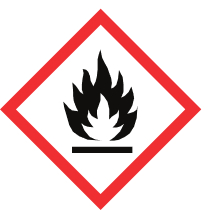
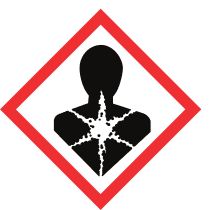
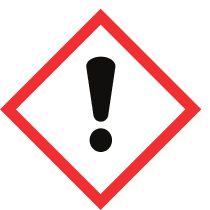


Upload PDF documents and let AI automatically extract hazard classifications, composition data, and safety instructions in seconds.
See how Filter your SDS library instantly by GHS pictograms and EMKG hazard groups — inhalation, skin, fire, eyes, and storage. Build advanced queries with AND/OR logic across any field.
See how
Get notified when manufacturers release new SDS versions. Track revision history and compare changes automatically.
See how A central SDS library only matters if the right people can reach it. NextSDS gives every employee, supervisor, and EHS lead instant access to the safety information they need.
Scan a QR code on any container and pull the SDS up on a mobile device. No login walls between workers and the protection information they need during an emergency.
Manage permissions across departments, equipment, and locations. Run inspections from one dashboard and assign training to specific employees or teams.
Export documentation for audits, track suppliers, and keep procedures and handling protocols tied to every chemical in your inventory.
Every chemical safety regulation expects the same thing: accurate SDSs, current labeling, employee training records, and audit-ready documentation. NextSDS keeps all four in one place.
Meet the Hazard Communication Standard with a complete library of 16-section SDSs and container labeling for every chemical on site.
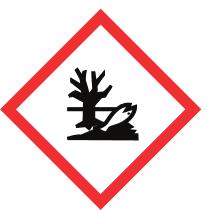
Globally Harmonized System pictograms, signal words, and hazard statements are extracted automatically from every SDS in your library.
Manage REACH registration data, CLP labels, and EU safety information alongside US and Canadian WHMIS documents in one library.
Every revision, access event, and supplier update is logged. Hand auditors a clean trail without scrambling for paperwork.
Forward SDS emails and let AI process them automatically into your library.
Automatic monitoring and updates when manufacturers release new SDS versions.
Print GHS/CLP compliant labels with QR codes directly from your SDS library.
Validate chemicals against company policies before purchasing.
No need for complex training - just start uploading your safety data sheets
and we'll organize everything automatically.
Got questions? We've got answers! The essential info about making chemical safety simple and accessible.
MSDS (Material Safety Data Sheet) is the older term used before the GHS globally harmonized system was adopted. SDS (Safety Data Sheet) is the current standard. NextSDS manages both SDS and legacy MSDS documents in one central library, so you can consolidate all your safety data sheets regardless of format or age.
Our MSDS tracking software automatically monitors revision dates, flags outdated documents, and notifies you when suppliers release updated safety data sheets. It tracks every SDS and MSDS in your inventory with full revision history and audit trails.
Yes! You can upload hundreds of SDS and MSDS documents at once. Our system will process them in parallel, extract data using AI, and organize everything automatically in your library.
Our AI recognizes both EU SDS and US MSDS formats, as well as various manufacturer-specific layouts. It adapts to different structures and extracts the relevant safety information regardless of format or age of the document.
Yes. NextSDS is built to support OSHA's Hazard Communication Standard (29 CFR 1910.1200). The platform keeps a complete SDS library accessible to every employee, tracks revisions, manages container labeling, and produces the audit trail inspectors expect. It also handles GHS classifications, REACH registration data, and CLP labels for EU operations.