Simplified safety summaries for mobile and print. QR codes for instant access, or print physical cards for workstations.
Or get a free compliance audit
Trusted by industry leaders | See results in 1 day.

One-page GHS safety summaries for the floor, always tied to the live safety data sheet.
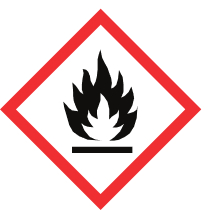
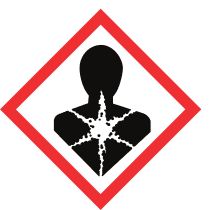
Contains DEHP at 12 % w/w. Exceeds REACH SVHC disclosure threshold and RoHS 0.1 % limit.
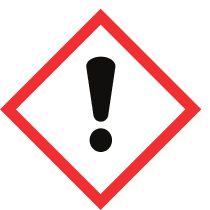
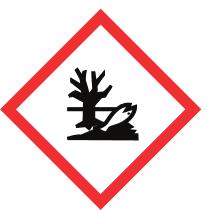
Choose a reusable profile template and configure language (EN, FR, DE, NL), layout (A4/A5, portrait/landscape, border options), accent and header colours, and optional QR code. Export and import profiles to share across teams.
See how
Toggle sections on or off, then drag them between rows and columns to arrange the layout. Preview the final card and download as PDF, Word, or save directly to the product's attachments in NextSDS.
See how
Print GHS/CLP compliant labels with QR codes for containers.
Distribute safety cards and SDS via branded employee portals.
Central library where safety card data is sourced from extracted SDS.
Assign safety cards to specific workplace locations and profiles.
No need for complex training - just start uploading your safety data sheets
and we'll organize everything automatically.
Got questions? We've got answers! The essential info about making chemical safety simple and accessible.
Step 1: Choose a reusable profile and configure language (EN/FR/DE/NL), layout (A4/A5, portrait/landscape), accent colours, and QR code. Step 2: Toggle and arrange sections using drag-and-drop. Step 3: Preview, then download as PDF, Word, or save directly to the product's attachments.
Toggle sections on or off: Hazard Identification, GHS Pictograms, Precautionary Statements, Personal Protection (PPE icons), First Aid, Firefighting, and Transport. Fine-tune content within each section.
Yes. Create reusable profiles (templates) with your preferred layout, colours, and section configuration. Apply the same profile to any product, and export/import profiles to share across teams.
Download as PDF for printing, as Word for further editing, or save the safety card directly to the product's attachments in NextSDS for distribution. Cards support REACH Article 35 and CLP Article 4 compliance.