Keep track of all chemicals across multiple locations. Know exactly what you have, where it is, and when it expires with our comprehensive inventory management system.
Or get a free compliance audit
Trusted by industry leaders | See results in 1 day.

Keep live chemical quantities and locations in sync across sites. See what you hold, where it sits, and how much.
| Product | Site | On hand | Workposts |
|---|---|---|---|
Xylene blend | Papenburg | 420 L | 6 |
Zinc-rich primer | Papenburg | 190 L | 4 |
Epoxy hardener | Rostock | 85 kg | 3 |
Contains DEHP at 12 % w/w. Exceeds REACH SVHC disclosure threshold and RoHS 0.1 % limit.

Calculate risk scores for every chemical using the RECESS formula: Risk = Effect x Exposure x Probability. Effect is determined automatically from H-codes, while you set Exposure and Probability per product. Scores are colour-coded from green through to purple.
See how View how each chemical is classified for safe storage, from La-A (general storage) to La-F (explosives). A colour-coded hazard bar shows the risk distribution across your inventory at a glance.
See how
Define locations, profiles, and processes where chemicals are tracked.
EMKG, ECETOC TRA, and RECESS assessments linked to inventory products.
Central library providing the SDS data behind inventory products.
Generate compliance reports from your inventory data per location.
No need for complex training - just start uploading your safety data sheets
and we'll organize everything automatically.
Got questions? We've got answers! The essential info about making chemical safety simple and accessible.
RECESS calculates risk using the formula Risk = Effect x Exposure x Probability. The Effect score is automatically determined from a product's hazard statements (H-codes). You set the Exposure and Probability values per product. Results are colour-coded from green (very limited risk) through yellow, orange, and red to purple (stop activities).
EMKG classifies chemicals from La-A (lowest risk, general storage) through to La-F (highest risk, explosives) based on storage compatibility and segregation requirements. A colour-coded bar visualises the distribution of hazard groups across your inventory.
Yes. Select 'Generate Report' on any location inventory page to create a compliance report pre-filtered to that location. Reports support obligations under REACH Article 35, ISO 45001 clause 6.1.2, and the Seveso III Directive.
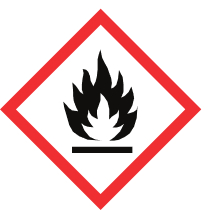
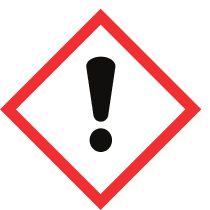
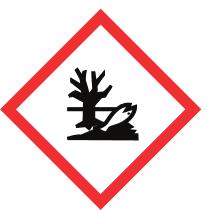
Each product row shows the product name, GHS hazard pictograms, physical state, signal word (Danger or Warning), H-codes, P-codes, and stored quantity. Expand any row to see storage location, department, employees, usage description, and dates.